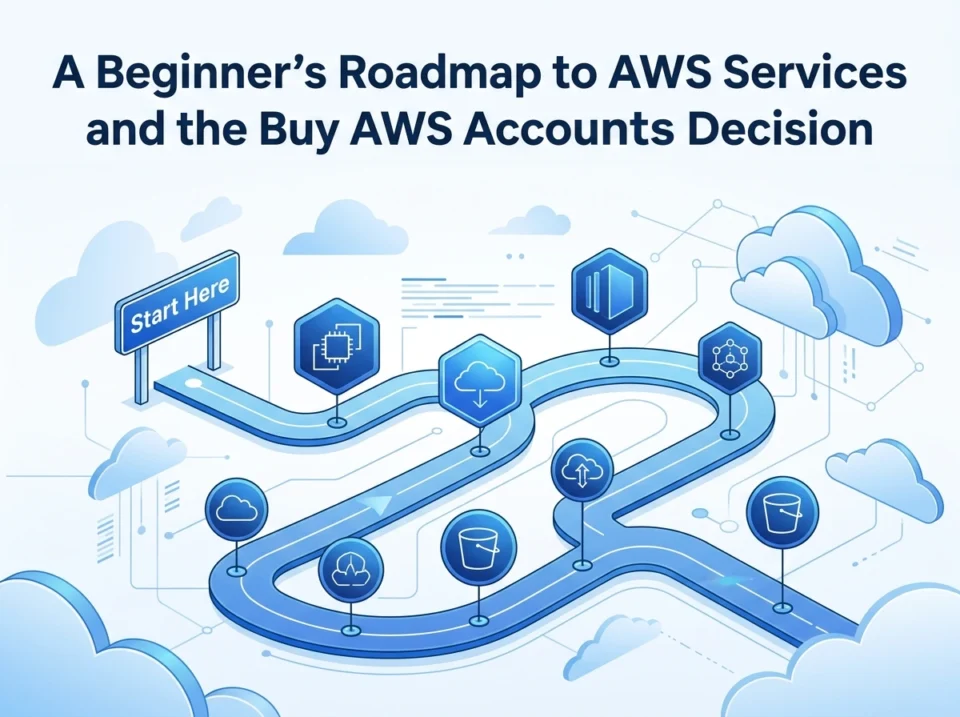
Starting your cloud journey can feel overwhelming. Amazon Web Services (AWS) offers more than 200 services, and that long menu scares off plenty of beginners before they write a single line of code. The good news? You don’t need all of them. You need a clear path, a handful of core services, and smart decisions about how you set up your account.
This guide gives you exactly that. You’ll learn what AWS is, which services matter most when you’re starting out, and a simple roadmap to get going. We’ll also tackle a question many newcomers ask: should you buy a pre-made AWS account? We’ll cover the real risks and the safer alternatives.
Key takeaways:
- Master six beginner-friendly AWS services before exploring the rest.
- Follow a step-by-step roadmap to avoid common setup mistakes.
- Understand why buying AWS accounts can put your data and money at risk.
- Apply security best practices from day one.
What Is AWS and Cloud Computing?
Cloud computing means renting computing resources—servers, storage, databases—over the internet instead of buying and managing your own hardware. You pay only for what you use, and you can scale up or down in minutes.
AWS is Amazon’s cloud platform and the market leader. Companies like Netflix, Airbnb, and NASA run on it. For beginners, AWS matters because it lets you build real applications without a big upfront investment.
Think of it this way: instead of buying a generator for your house, you plug into the power grid. AWS is the grid for computing. You connect, use what you need, and pay your bill.
Takeaway: AWS removes the cost and hassle of owning hardware, making it perfect for learning and building projects.
Key AWS Services for Beginners
You won’t use 200 services. These six form the foundation most beginners actually need.
Amazon EC2 (Elastic Compute Cloud)
EC2 gives you virtual servers in the cloud. You launch an instance, choose its size, and run your applications on it. It’s the closest thing to renting a computer you fully control.
Amazon S3 (Simple Storage Service)
S3 stores files—images, backups, videos, documents—in containers called buckets. It’s durable, cheap, and scales infinitely. Most apps use S3 for storing static content.
Amazon RDS (Relational Database Service)
RDS manages databases like MySQL, PostgreSQL, and MariaDB for you. It handles backups, updates, and scaling, so you focus on your data instead of server maintenance.
AWS Lambda
Lambda runs your code without managing any servers. You upload a function, and it runs only when triggered. You pay per request, which makes it great for small tasks and event-driven apps.
AWS IAM (Identity and Access Management)
IAM controls who can access your AWS resources and what they can do. It lets you create users, assign permissions, and protect your account. This is your security backbone.
Amazon CloudFront
CloudFront is a content delivery network (CDN). It caches your content across global servers so users load your site faster, no matter where they are.
Takeaway: Learn these six services first. They cover computing, storage, databases, serverless, security, and delivery—the core of most projects.
A Step-by-Step Beginner Roadmap for AWS
Ready to start? Follow these steps in order. Don’t skip ahead.
Step 1: Create Your Own Free AWS Account
Sign up at the official AWS website. The Free Tier gives you 12 months of limited access to many services at no cost. Use a valid email and credit card—AWS won’t charge you unless you exceed free limits.
Step 2: Secure Your Root Account
Right after signup, enable multi-factor authentication (MFA) on your root account. Then create an IAM user for daily work. Never use the root account for everyday tasks.
Step 3: Explore the AWS Management Console
Spend time clicking around the console. Find the services menu, billing dashboard, and region selector. Getting comfortable here saves frustration later.
Step 4: Launch Your First EC2 Instance
Start a small instance using the Free Tier. Connect to it, install a web server, and host a simple page. This single exercise teaches you more than hours of reading.
Step 5: Store Files in S3
Create a bucket and upload a file. Practice making files public and private. Notice how permissions work—this connects directly to security.
Step 6: Set Billing Alerts
Configure a budget alert in the billing console. This warns you before costs climb. It’s the easiest way to avoid surprise charges.
Step 7: Build a Small Project
Combine services into one project. For example, host a website on EC2, store images in S3, and add a database with RDS. Real projects cement your skills.
Takeaway: Build hands-on as you learn. Each step adds a practical skill you’ll use again and again.
The “Buy AWS Accounts” Decision Explained
Searching for shortcuts, some beginners come across sellers offering pre-made AWS accounts. These often promise expanded limits, aged accounts, or extra credits. Before you consider it, understand what’s really happening.
Why People Consider Buying Accounts
- They want to skip verification steps.
- They hope to access higher service limits instantly.
- They’ve been suspended and want a fresh start.
- They want promotional credits without qualifying.
The Serious Risks
Buying AWS accounts violates the AWS Customer Agreement. The downsides far outweigh any short-term convenience.
- Account suspension: AWS detects ownership transfers and shuts accounts down without warning.
- Loss of data and money: If the account is terminated, you lose everything you built, plus any money you paid the seller.
- Security threats: The seller may keep access, steal your data, or rack up charges in your name.
- No support: AWS won’t help you recover an account you didn’t legitimately create.
- Legal exposure: Using fraudulent or stolen accounts can expose you to liability.
The Hidden Cons
Even if an account works for a while, you can’t trust its history. It might carry past violations, fraud flags, or hidden billing issues. You inherit every problem the previous owner created.
Takeaway: Buying AWS accounts trades a small convenience for major risk. It’s not worth it.
Legitimate Alternatives to Buying Accounts
You can get everything you actually need through proper channels.
- Use the AWS Free Tier: It’s free for 12 months and covers most learning needs.
- Apply for AWS credits: Programs like AWS Activate offer credits to startups and students.
- Request limit increases: Need higher limits? Submit a support request and AWS usually approves it.
- Use AWS Educate: Students and educators get free resources and credits.
- Open a business account: If you’re a company, create an organization account with proper billing.
These options are safe, legal, and supported. They give you room to grow without risking your work.
Best Practices for Account Security and Compliance
Protecting your account matters from the very first day. Follow these habits.
- Enable MFA everywhere: Add it to your root account and all IAM users.
- Follow least privilege: Give users only the permissions they need—nothing more.
- Rotate access keys: Change keys regularly and never share them publicly.
- Avoid hardcoding credentials: Never put keys in your code or public repositories.
- Monitor activity: Use AWS CloudTrail to track who does what in your account.
- Set billing alerts: Catch unusual spending before it becomes a problem.
- Encrypt sensitive data: Use built-in encryption for S3 buckets and databases.
Takeaway: Strong security habits early prevent expensive mistakes later. Treat your AWS account like your bank account.
Conclusion: Build Your Cloud Skills the Right Way
AWS opens the door to building powerful applications without owning a single server. Start by mastering six core services—EC2, S3, RDS, Lambda, IAM, and CloudFront—then follow a step-by-step roadmap with hands-on projects. Along the way, secure your account and avoid shortcuts like buying AWS accounts, which carry serious risks with little reward.
The legitimate path is also the easiest one. The Free Tier, AWS credits, and support requests give you everything you need to learn and grow safely.
Your next step is simple: create your own AWS account today, enable MFA, and launch your first EC2 instance. Have questions about getting started or which service to learn next? Drop them in the comments—we’d love to help you take your first real step into the cloud.
Please visit website for more info.
