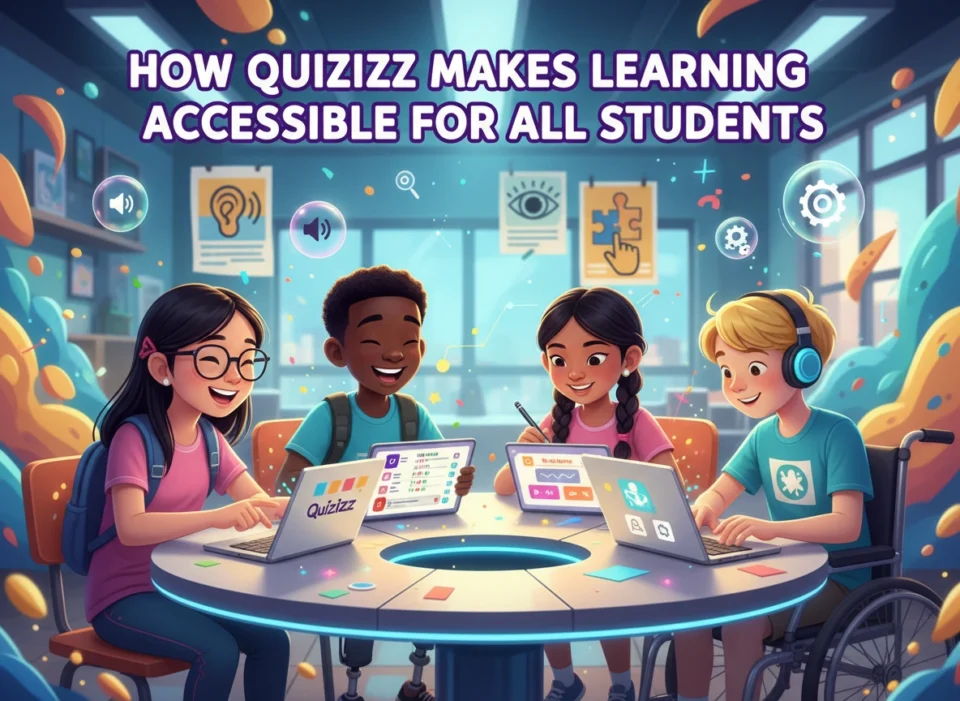
Education is not a one-size-fits-all experience. Every classroom is a diverse ecosystem of learners, each with unique needs, strengths, and challenges. To create a truly effective learning environment, educators need tools that can adapt to this diversity. Quizizz has emerged as a powerful platform that champions inclusivity by making learning engaging and accessible for every student.
This article will explore the specific features that make Quizizz an indispensable tool for accessible education. We will cover its intuitive design, gamified approach, and robust support features that empower both teachers and students. You will see how the platform helps create a classroom where every learner has the opportunity to succeed.
Breaking Down Barriers with an Intuitive Interface
One of the first hurdles to learning with a new digital tool is the tool itself. A complicated interface can intimidate students and create a barrier before the lesson even begins. Quizizz addresses this challenge with a clean, user-friendly design that is easy for students of all ages and technical abilities to navigate.
The clear layout and straightforward instructions mean students spend less time figuring out how to use the platform and more time engaging with the content. Whether joining a live quiz with a simple game code or completing an assignment at their own pace, the process is seamless. This simplicity is a cornerstone of accessibility, as it reduces cognitive load and anxiety associated with technology.
Furthermore, the platform’s compatibility across various devices—from desktops and laptops to tablets and smartphones—ensures that students can participate regardless of the technology available to them. This device-agnostic approach promotes equity, allowing learning to happen anywhere, anytime, on any screen.
Gamification: Making Learning Engaging for Everyone
Traditional learning methods can sometimes fail to capture the attention of all students. Quizizz transforms learning from a passive activity into an active, exciting experience through gamification. By incorporating elements like points, leaderboards, and fun avatars, it taps into students’ natural love for play.
This gamified approach is not just for fun; it is a powerful accessibility feature. It lowers the stakes of assessment, reducing test anxiety and making students more willing to participate and take risks. When a wrong answer is met with a lighthearted meme instead of a red mark, students see mistakes as learning opportunities rather than failures. This positive reinforcement builds confidence and resilience.
The self-paced nature of many Quizizz activities is another key element. In a live quiz, students answer questions on their own devices at their own speed. This eliminates the pressure of having to keep up with the fastest person in the room, a common source of stress for many learners. Students can take the time they need to read, think, and respond, which is crucial for those with processing challenges or who are learning in a second language.
Catering to Diverse Learning Styles
Students absorb information in different ways. Some are visual learners who benefit from images and videos, while others are auditory learners who retain information by hearing it. Kinesthetic learners learn best by doing. Quizizz is designed to cater to this spectrum of learning styles, making it a versatile tool for inclusive instruction.
Visual Learners
For students who learn best by seeing, Quizizz allows educators to embed images, diagrams, and videos directly into questions. A history question can feature a historical photograph, a science question can include a diagram of a cell, and a language arts question can be based on a short video clip. This visual context makes abstract concepts more concrete and memorable.
Auditory Learners
To support auditory learners, Quizizz offers a Read-Aloud feature. With a single click, the platform can read questions and answer options aloud to students. This is an invaluable tool for students with reading disabilities like dyslexia, as well as for younger learners who are still developing their reading skills. It ensures that a student’s reading ability does not become a barrier to demonstrating their knowledge of a subject.
Reading and Writing Learners
The classic quiz format, with its text-based questions and answers, naturally appeals to students who learn through reading and writing. The ability for teachers to provide detailed, written explanations for answers further reinforces learning for this group. Students can review these explanations after the quiz to understand their mistakes and solidify their knowledge.
Kinesthetic Learners
While digital tools may seem less suited for kinesthetic learners, Quizizz engages them through interaction. The physical act of tapping or clicking an answer, a simple yet effective form of “doing,” keeps these students actively involved. The fast-paced, game-like environment encourages participation and movement, turning a lesson into a hands-on experience.
Supporting Every Need with Powerful Features
Beyond catering to different learning styles, Quizizz includes specific features designed to support students with a wide range of needs, fostering a truly inclusive classroom.
Multilingual Support and Translation
In today’s global classrooms, language should not be a barrier to learning. Quizizz supports multiple languages, allowing teachers to create content in the language that best suits their students. Furthermore, a built-in translation feature can help English Language Learners (ELLs) understand questions in their native language, providing a scaffold that supports comprehension while they build their English proficiency.
Customization for Individual Needs
Teachers have granular control over the quiz experience, allowing them to tailor activities to their students’ specific requirements. Key settings that promote accessibility include:
- Timer Control: Teachers can extend the time limit for questions or turn the timer off completely. This removes time pressure for students who need more time to process information.
- Disabling Leaderboards: For students who feel anxious about competition, teachers can disable the leaderboard to focus on individual progress and mastery rather than comparison.
- Redemption Questions: This feature allows students to re-attempt questions they got wrong, reinforcing the concept and promoting a growth mindset.
Data-Driven Differentiation
Quizizz provides teachers with detailed reports on student performance. This data is not just for grading; it is a powerful tool for differentiation. Educators can quickly identify which students are struggling with specific concepts and which have mastered the material.
Armed with this insight, a teacher can create small, targeted groups for remediation or enrichment. They can assign a follow-up Quizizz activity to a student who needs more practice or provide a more challenging one for a student who is ready to move ahead. This data-driven approach allows teachers to personalize instruction and ensure that every student is receiving the support they need to grow.
Conclusion: Fostering an Inclusive Future
Quizizz is more than just a quiz tool; it is a comprehensive platform designed with accessibility at its core. By combining an intuitive interface, engaging gamification, and powerful features that support diverse learning needs, it empowers educators to create truly inclusive learning environments.
The platform breaks down common barriers related to technology, anxiety, learning style, and language. It gives every student the opportunity to participate, engage, and demonstrate their knowledge on their own terms. By leveraging the data and customization options available, teachers can move beyond one-size-fits-all instruction and provide the personalized support that helps every learner thrive. In a world that increasingly values equity and inclusion, Quizizz stands out as a tool that helps make accessible learning a reality for all.
Please click here for more info
